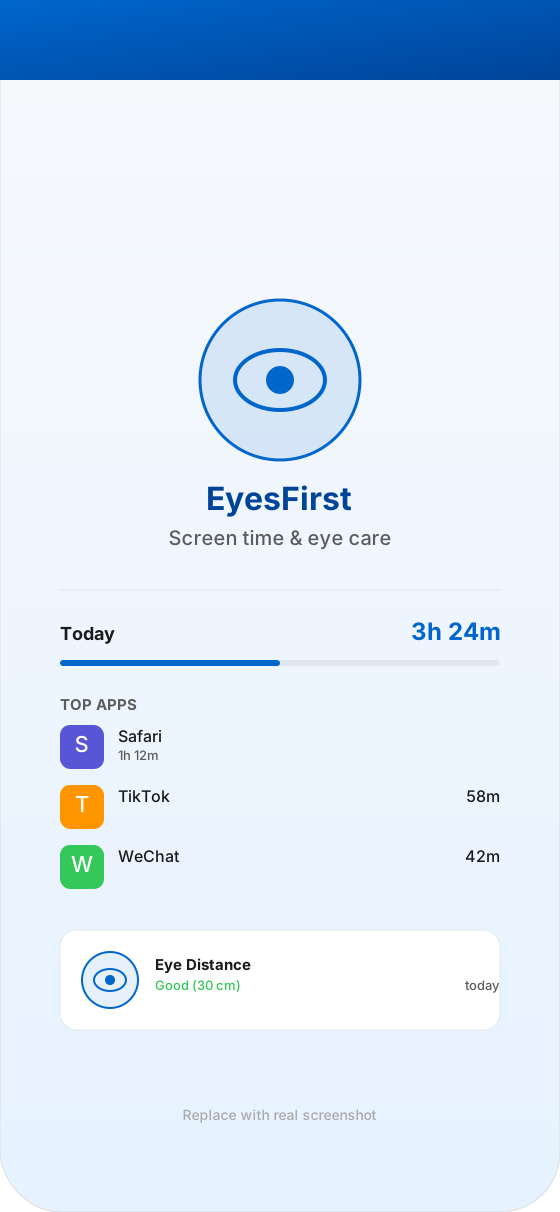
Today
Your day, at a glance
A clean overview of total screen time and per-app usage for the day.
EyesFirst shows you how you really use your iPhone, lets you set gentle daily limits on the apps you choose, and reminds you to keep a healthy viewing distance — all on-device, all yours.
Most screen-time apps only show you a number. EyesFirst adds an eye-health layer: it helps you not only manage your time, but also see better while you do — with a calm, on-device companion.
A clean overview of how you spent your day on iPhone — total time, top apps, and how the day unfolded across morning, afternoon and evening.
Pick the apps you want to manage, give each a daily time budget, and EyesFirst will gently shield them when the limit is reached. Built on Apple's official Screen Time APIs.
When you hold the phone too close for too long, EyesFirst offers a soft nudge to step back. Distance is estimated on-device from the front camera — frames are never recorded.
See how many minutes each day were spent too close to the screen, and watch your streak grow as you build a kinder routine.
EyesFirst ProQuiet, periodic eye-check nudges that fit around your routine — never during a meeting, never at midnight.
EyesFirst ProNo accounts. No uploads. No ads. Your screen-time data and reminders live in your private App Group, on your iPhone.
A calmer way to keep an eye on your screen time — and your eyes.
A clean overview of total screen time and per-app usage for the day.
Set a daily budget per app. EyesFirst shields them softly when the limit is reached.
When you hold the phone too close, EyesFirst offers a soft nudge. Frames never leave your device.
Track eye-health minutes and watch your streak grow. EyesFirst Pro unlocks 90-day history.
EyesFirst ProUnlock unlimited app limits, deeper eye-health history, customizable schedules, and priority support.
$2.99
per week
Try Pro with the lowest commitment. Auto-renews weekly.
$6.99
per month
A flexible month-to-month plan. Auto-renews monthly.
$29.99
per year
Best value with a 7-day free trial. Auto-renews yearly.
$79.99
one-time
One-time purchase. Pro features for the life of the product.
Prices shown in USD. Final price in your region is set by the App Store and may vary based on local taxes and currency.
No. EyesFirst runs entirely on-device. Your screen-time activity and camera frames never leave your iPhone. We don't have servers for that data.
The front camera estimates how far your face is from the screen. When you hold the phone closer than a healthy distance for about 10 seconds, EyesFirst shows a gentle reminder. Frames are processed in real time and never stored or uploaded. This is a friendly guide, not a medical measurement.
Screen Time access to record your device-usage activity, front-camera access to estimate viewing distance, and notifications to nudge you. No photos, microphone, contacts or location.
EyesFirst is on the App Store. Questions? We're happy to help — just send us a note.
contact@lubanlock.app